Jewelry product photography: what to look out for
FashionPix · Published 29 augustus 2026 · Last updated 4 augustus 2026
Jewelry is small, shiny, and tricky to photograph well. Yet those photos determine whether someone hesitates or checks out right away. In this article you'll learn what good jewelry product photography needs to deliver, which mistakes cost you conversions, and how to create sharp, sales-driving images without a studio.
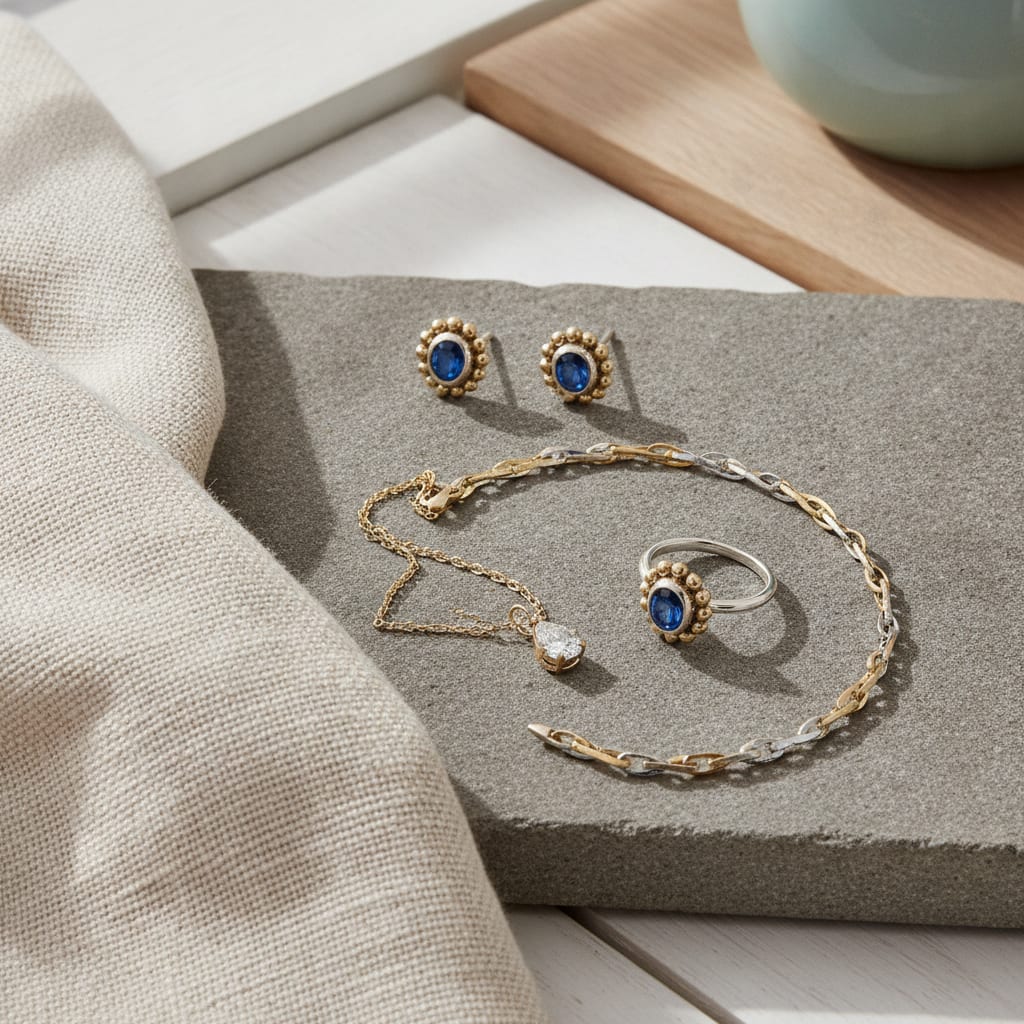
Jewelry product photography: what to look out for
- Jewelry is small and reflective, so sharpness and lighting directly determine whether a photo sells.
- Customers want to see how a necklace or ring sits on a body, not just lying loose on a table.
- A macro or white background works best for detail shots of clasps and stones.
- Model photos of jewelry don't have to be expensive: AI models show realistic wearability without a photoshoot.
- With the right mix of detail and model shots, doubt drops — and so do returns and questions.
Why is jewelry product photography so tricky?
Jewelry is small, often shiny, and full of details that are easy to miss with a regular photo. That makes jewelry product photography harder than, say, photographing a sweater: one wrong angle of light and you get a blurry smudge instead of a finely crafted necklace. Customers buy jewelry precisely for its detail, so if that detail isn't visible, they walk away.
Reflection is the biggest enemy. Gold, silver, and diamonds bounce light in every direction, so a regular photo often shows bright white spots instead of the actual shape of the piece.
Scale is a second problem. A two-centimeter ring can easily look different in a photo than in real life, leaving customers surprised when the package arrives. Without a reference point — a hand, wrist, or ear — size is simply impossible to judge.
On top of that, jewelry buyers often want to see how something sits: does a necklace hang straight, does a ring fit loosely, does an earring feel too heavy. You can't see that in a photo of a loose piece on a table. For that, you need a worn shot.
Many webshops currently solve this with an expensive macro lens, softbox lighting, and hours of patience per photo. That works, but it costs time and money that a small jewelry webshop often doesn't have.
What should a good jewelry photo show?
A good jewelry photo shows three things at once: the detail, the scale, and how the piece is worn. Without all three, a customer stays unsure about shape, size, or fit — and doubt leads to drop-off or returns. Think of a close-up of the clasp, a sharp shot of the stone, and an image showing the piece on a wrist, neck, or finger.
Sharpness comes first. When photographing jewelry, everything revolves around detail: a blurry photo of a necklace instantly looks cheap, even if the piece itself is expensive.
A neutral background helps enormously. Against a white or light grey background, the shape of the jewelry naturally stands out, without distractions. For webshops selling on marketplaces like bol.com or Amazon, this is often even required.
Alongside the detail shot, you need a worn photo. A ring on a finger, a necklace on a décolletage, earrings next to a face — that gives the customer a realistic sense of how the piece actually looks in real life. Without that image, you're essentially selling blind.
Finally: consistency. If every photo in your shop has a different angle, light, or style, your whole collection looks messy. Customers trust a shop with uniform imagery faster than one where every photo feels different.
- Sharp close-up of the clasp and stones
- Photo on a neutral or white background for a clear overview
- At least one worn photo for scale and fit
- Consistent angle and lighting per product category
- Alt text and size info with every photo for SEO and customer trust
Do you need a photo studio for jewelry photos?
No, a photo studio isn't required. With a good lens, plenty of light, and the right software, you can shoot sharp jewelry photos without a studio. More and more jewelry webshops are also turning to AI photography: you photograph the piece yourself once, and the rest — model, background, lighting — gets added digitally.
For detail shots, daylight by a window, macro mode on your phone, and a simple sheet of white paper as background is often enough. That's plenty for sharp close-ups of rings, earrings, or pendants.
For worn photos, it's a different story. Normally you'd need a model, makeup artist, and photographer — quickly adding up to hundreds of euros per shoot, for just a handful of products. At FashionPix you upload one photo of the jewelry instead; the real product gets placed onto one of 40 in-house models, aged 3 to 64. You don't send anything else in, you only photograph the piece itself.
That also makes it easier to show different target audiences. The same necklace on a younger and an older model, or on different skin tones, gives potential buyers more recognition — without you planning a new photoshoot for every variant.
A complete item — with images and product copy in four languages — costs 4 credits, around €1.30. Want to see first if it fits your jewelry? Try six images for free without creating an account.
What mistakes do you often see in jewelry webshop photos?
The most common mistake is too little light, which makes photos look dark or grainy and causes fine details to disappear. Other frequent mistakes: no scale reference, a cluttered background, and no worn photo. Each of these mistakes increases customer doubt, and with it, questions or returns.
A classic example: a necklace lying loose on a wooden table, shot from above under indoor lighting. The necklace looks flat, the color is off, and you can't tell at all how long it hangs around a neck. That same necklace on a model, shot in daylight, with a detail photo of the clasp, instantly looks more expensive and more trustworthy.
Alt text also often gets forgotten. Without descriptive alt text, Google misses context about your photo, which hurts your visibility in Google Shopping and image search results. A good jewelry photo therefore also needs a written description, not just the image itself.
One last mistake: no size info next to the photo. With jewelry, customers can barely judge how big something is without a clear size indication, which results in more returns and customer service questions.
- Too little or too harsh lighting, making details disappear
- No reference for scale or size
- No worn photo, only the loose product
- Missing alt text and size info
- Inconsistent style between products in the same shop
How do you handle a jewelry photoshoot smartly on a small budget?
With a small budget, focus on what pays off most: shooting sharp detail photos yourself, and outsourcing the pricier model shots to AI. That way you save on the most expensive step — hiring a model and photographer — without sacrificing quality. That's exactly why many small jewelry brands are choosing this approach these days.
Start with a good setup: daylight by a window, a plain background, and macro mode on your phone or camera. Test different angles until the reflections disappear — often it already helps to shoot at a slight angle instead of straight from above.
Photograph each piece of jewelry on its own, sharp and distraction-free. You'll use these photos as your base: the real product gets placed onto a model, so the sharper your own photo, the better the end result.
For brands selling across multiple platforms, consistency matters even more. Both for Etsy product photos and for your own webshop, you want to keep the same style, so your brand stays recognizable everywhere.
Then calculate what a photoshoot normally costs you — model, photographer, studio, editing — and compare that to a handful of credits per item. For most small jewelry brands, the difference is huge, especially if you regularly add new items.
How do you get your jewelry photos to rank better in Google?
Jewelry photos rank better in Google when they're sharp, have a descriptive file name and alt text, and match your customer's search intent. Google doesn't just evaluate the text on your page, but also the quality and context of your images — especially in Google Shopping and image search results.
Use a file name that describes the product, like 'gold-necklace-heart-925-silver.jpg' instead of 'IMG1234.jpg'. That sounds small, but it helps Google (and therefore your customer) understand what's in the photo faster.
Always add alt text that describes the jewelry, material, and type. That's not just good for SEO, it also makes your shop more accessible for people using a screen reader.
Make sure your photos don't slow down loading speed. Large, unoptimized files make your page slow, and a slow page ranks lower in Google — no matter how nice the photo is. Compress images or build this automatically into your workflow.
Combine your image strategy with strong product copy. At FashionPix, for example, having product copy written and images are delivered together, in four languages, so image and text reinforce each other instead of standing apart.
Frequently asked questions
Can I photograph jewelry with my phone?
Yes, for detail shots a modern phone with macro mode is often enough. Make sure you have plenty of daylight and a calm background to avoid reflections and noise.
Do I need a model for jewelry photos?
Not necessarily a physical one. You can photograph the jewelry piece on its own and have it digitally worn by an AI model, so customers still see how it fits without you having to plan a photoshoot.
Why does my jewelry reflect so harshly in photos?
Metal and diamonds bounce light back strongly, especially under direct or bright light. Shoot in diffused daylight or use a diffuser to soften harsh highlights.
What does professional jewelry product photography cost on average?
This varies a lot depending on the photographer and number of products, but a traditional shoot often runs into tens of euros per photo. With AI photography, you pay per complete item — images and copy included — for a lot less.
Read more
- Photographing clothing for webshop
- Flat lay photography for clothing
- Virtual Fitting Room Ecommerce
- Clothing Product Photography Cost
- Product fotografie kleding
- Packshot
- FashionPix — The signature of your webshop
Start small, test what works
You don't have to reshoot your entire collection right away. Start with your best-selling jewelry, test a detail photo next to a worn photo, and see what boosts conversion. At FashionPix you can try this risk-free: six images for free, no account needed, before you scale up further.