Where it goes wrong in practice
The photos aren't bad, they're just inconsistent
One item shot by the window, another under a lamp at night. On their own, nobody notices; side by side in your collection overview, everybody does.
A photoshoot only pays off at scale
Booking a photographer, a model and a location takes a day and a few hundred euros. With twelve new items a month, that math never works out.
Every photo also needs copy
Title, description, alt text — per item, and in two languages if you also sell to Germany. That's the work nobody ever gets around to.
One upload, a complete product page
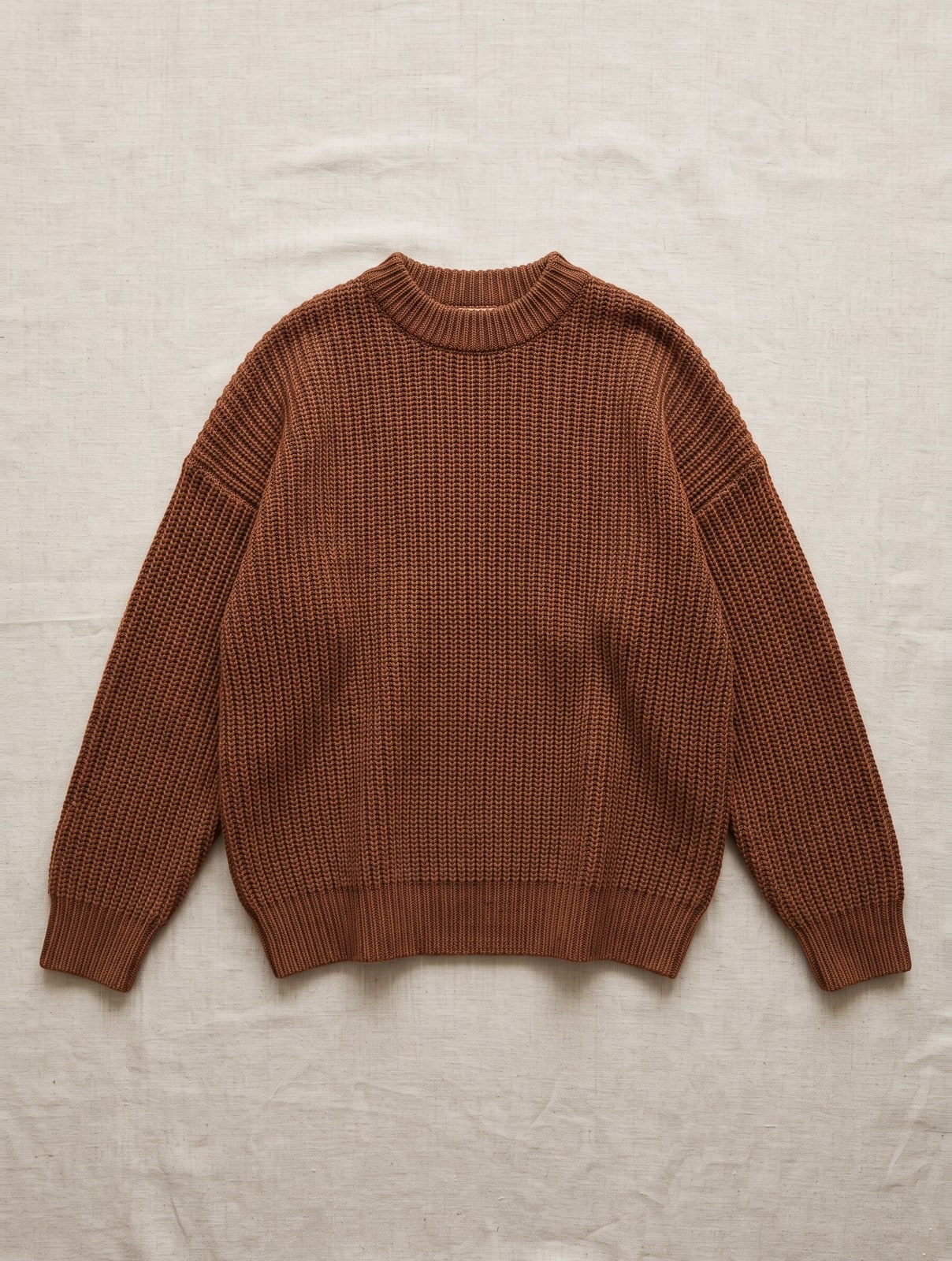
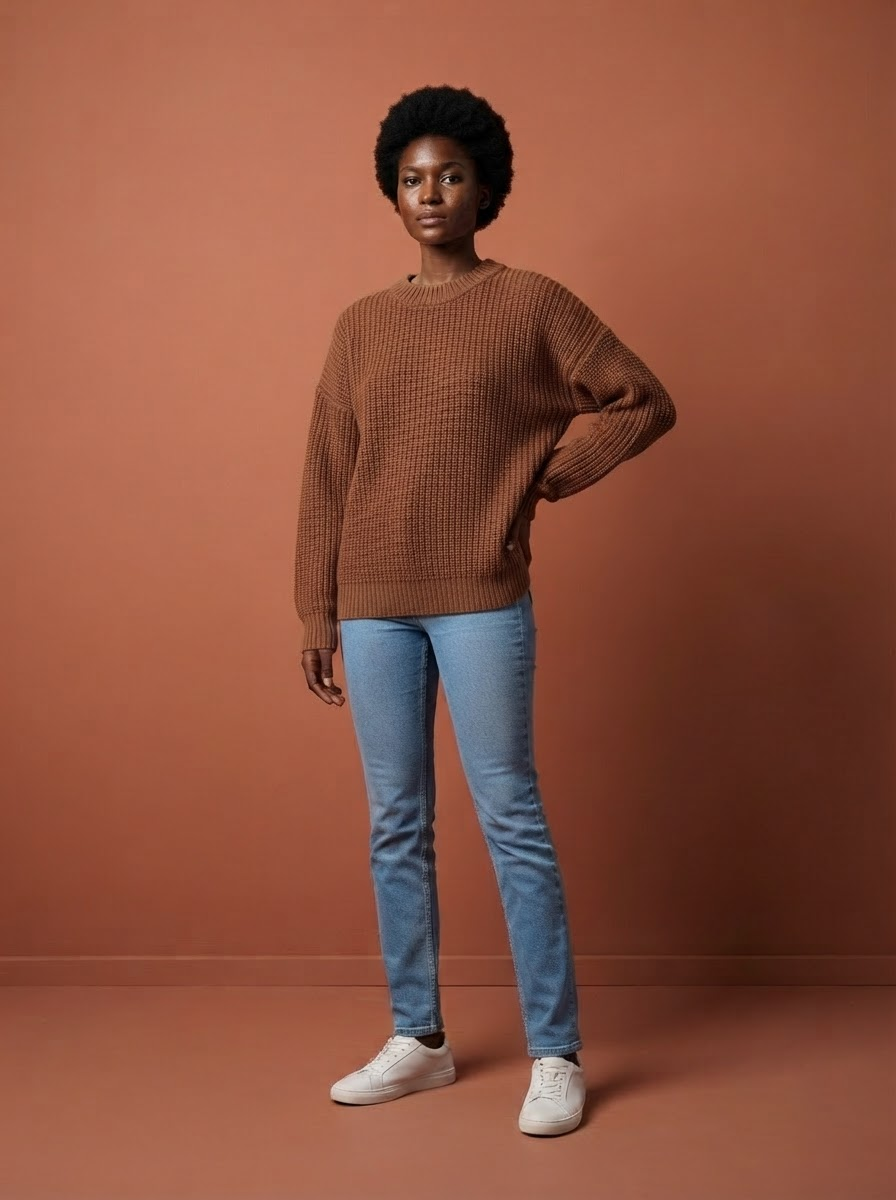
You drag in the photo you were going to take anyway. We recognize what it is, put it on a model from your fixed cast, create the packshot and detail photos, and write the copy to go with it.
- The real garment carries over onto the model — buttons, seams and print stay exactly as they are
- The same faces and the same lighting for every next item
- Packshot on pure white, in the sizes marketplaces require
- Meta title, meta description, short and long product copy in four languages
- Alt text and size info, both legally relevant and both included
What you get per item
Most AI photo tools stop at the image. That's where the real work begins: writing copy, typing out the care label, coming up with alt text, translating everything. Here, that single upload turns into a complete, publish-ready product page — image, copy and label info all at once.
- 4 modelbeelden — op je vaste gezichten, in hetzelfde licht en kader als de rest van je collectie
- 1 pakshot op zuiver wit — in de maten die marktplaatsen eisen
- 2 detailfoto’s — van stof en afwerking — de vragen die anders per e-mail binnenkomen
- Meta titel en meta omschrijving — wat er in het tabblad en in de zoekresultaten staat
- Korte en lange producttekst — de samenvatting boven de vouw en het volledige verhaal eronder
- Materiaal en wasvoorschrift — gescand van het waslabel — je hoeft niets over te typen
- Alt-teksten — wettelijk verplicht sinds juni 2026, en bij ons inbegrepen
- Maatinfo — "Model is 1,78 m en draagt maat M" — de regel die retouren scheelt
- Alles in vier talen — Nederlands, Engels, Duits en Frans
Doing it yourself easily costs a webshop owner half a day per item: shooting, cutting out, writing copy, typing out material and care instructions, translating, uploading. Here it's one photo and about two minutes. At thirty new items a month, that saves you nearly two work weeks.
How to shoot the source photo
What you upload determines what comes out. You don't need a studio, but you do need these five things — they cost you nothing and make the biggest difference.
- Daylight, not the ceiling light — Place the garment next to a window, during the day. Overhead lighting creates harsh shadows and a yellow tint that shifts the color.
- A plain background — A wooden floor or a patterned rug is distracting and makes cutting out harder. A sheet or a piece of cardboard is enough.
- The whole item in frame — With a few centimeters of space around it. A sleeve that falls just outside the frame won't make it into the final image either.
- Straight from above — Stand directly over it instead of shooting at an angle. Shooting at an angle distorts the garment's proportions.
- Smooth out the wrinkles — Five seconds of smoothing makes more difference than any setting. Creases from packaging still look like creases in the final image.
Why this matters more than you'd think
Two-thirds of online shoppers rate image quality as more important than the product description. And consistency isn't just a matter of taste: brands that keep their presentation uniform see up to a quarter more revenue in industry analyses. Drift between images is called "the silent killer" in those analyses for good reason — you never lose a sale visibly, you just win fewer of them. For how to maintain that consistency across an entire collection, see photographing clothing for your webshop.
In three steps
- Take one photo. Flat on a table, on a mannequin, or just with your phone. Daylight is enough.
- We create the set. Model shots, packshot, detail photos and the copy. About two minutes.
- Add it to your shop. Download it, import a file, or send it straight through to your webshop.
Photoshoot or FashionPix
| Cost per item | €60 – €100 | ± € 1.30 — copy included |
| Turnaround time | days to weeks | two minutes |
| Same model across your collection | only if you rebook them | automatic |
| Copy included | no | yes, four languages |
| Failed shots | you pay anyway | cost nothing |
Frequently asked questions
Do I need a studio or a good camera?
No. A phone photo in daylight works fine. Lay the garment flat or hang it up, make sure the whole item is in frame and it's not too dark. That's all it takes.
Will my garment still look exactly the same?
Yes. The product isn't redrawn but carried over: print, buttons, seams and color stay true to your photo. That's the difference with generators that invent a new garment altogether.
Can I try it first?
Six images are free and you don't need an account for them. You keep the images, even if you don't purchase anything further.
Does this also work for shoes, bags or jewelry?
Yes. Jewelry and accessories need their own approach, since scale is the challenge there rather than fit — read how to photograph jewelry.
Read more
- Jewelry photography
- Clothing photography for your webshop
- Women's jeans photography
- Maternity Clothing Photography
- Moet je AI-foto’s melden? De AI Act uitgelegd
- Model photos
- FashionPix — The signature of your webshop
Try it with your own item
Six images free, no account and no credit card. You keep the images, even if you take nothing else.