Where it goes wrong in practice
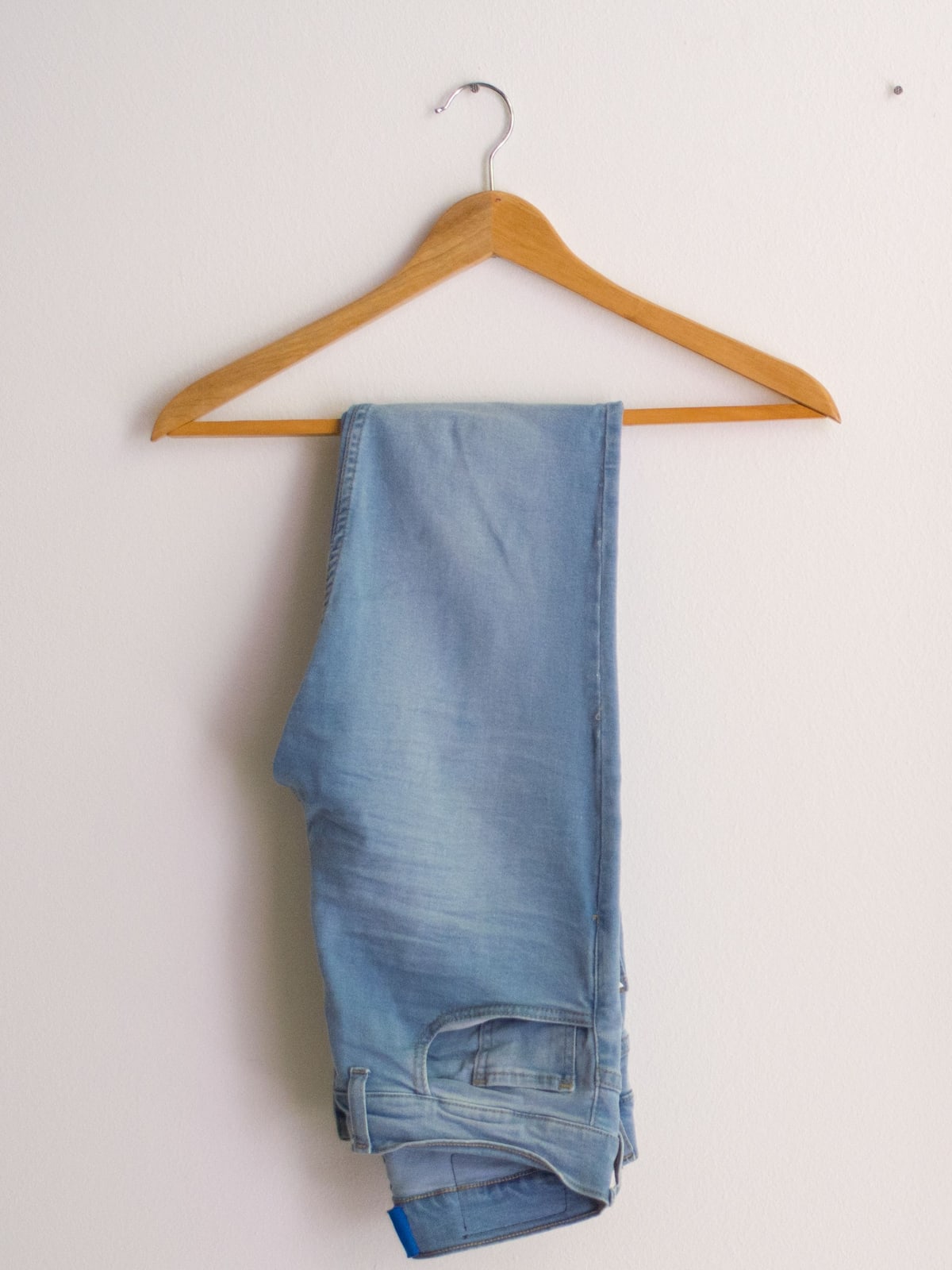
A flat-lay photo of jeans says nothing about the fit
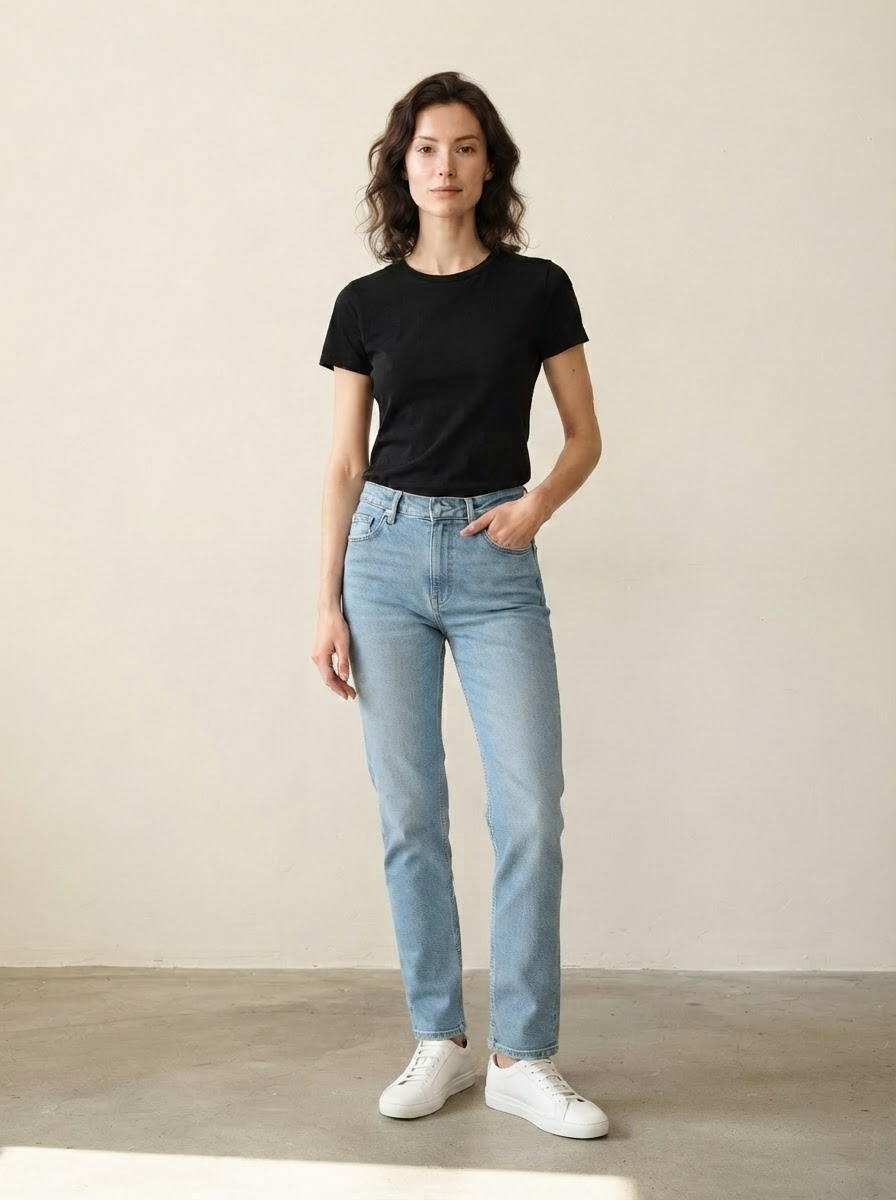
Two pairs with the same size label can fit completely differently. You won't see that on a table, but you will at a glance on a model.
Every model makes your jeans fall differently
Shoot one pair on a tall model and the next on a shorter one, and your customer can no longer compare the sizes.
Four angles per item adds up fast
With thirty new pairs, that's a hundred and twenty shots. That's not an afternoon, that's a week.
Four angles from one upload
You photograph the jeans the way you already do. We put them on your fixed model and deliver the angles that show off the fit — always the same person, so sizes stay comparable.
- The jeans themselves don't change: wash, stitching, buttons and labels come straight from your photo
- Front view, side view, back view and a detail of the fit
- The same model for every pair you add to your collection
- Size info underneath: "Model is 5'10" and wears size 28"
- Product text and alt text in four languages
Which angles you want to show for jeans
With jeans, everything comes down to fit, and you can only see that from the right angles. This is what a buyer wants to see before they hit order.
- Front view — Waist height and leg line. This is the photo in your collection overview, and it decides whether someone clicks through.
- Side view — How the jeans fall over the hip and where the seam runs. This is where you see the difference between two models with the same size label.
- Back view — The fit across the seat and the position of the back pockets. This is the shot missing from most webshops, and the one shoppers ask about most.
- Detail of the fit — Waistband, hem or stitching. Denim buyers pay attention to the finish; that's exactly what justifies the price.
- The same person for every pair — Otherwise your customer is comparing two photos that aren't actually comparable, and ends up guessing their size. That's the return you didn't want.
Why fit and returns are the same topic
In fashion, around a quarter of orders get returned, almost 28 percent for women's fashion. Between 53 and 70 percent of that comes down to fit turning out differently than expected. So every doubt you remove before the order pays off twice: the sale goes through, and the package doesn't come back.
In three steps
- Photograph the jeans. Flat or on a mannequin, the whole item in frame. A phone camera is fine.
- We create the angles. Front, side, back and a detail — on your fixed model, with the size info included.
- Add it to your shop. Download, import file, or push it through directly.
Photoshoot or FashionPix
| Cost per pair | €60 – €100 | ± €1.30 — text included |
| Four angles | four separate shots | from one upload |
| Same model across the collection | only with repeat bookings | automatic |
| Size info under the photo | figure it out yourself | included |
| Adding a new pair | schedule a new shoot | same day |
Frequently asked questions
Does the wash of my jeans stay exactly the same?
Yes. The jeans are transferred, not redrawn: wash, wear marks, stitching and labels come from your photo and stay exactly as they are.
Can I also get a back view?
Yes, that's included in the standard set. For jeans, that's one of the most important shots, and it's exactly the one missing from many webshops.
Does this also work for men's and kids' jeans?
Yes. The scanner recognises who the item is for and picks a suitable model. For the broader approach across your whole collection, see: photographing clothing for your webshop.
How is the size info generated?
From the height and size of the model set in your brand profile, plus the size of the garment. Nothing is guessed: if either of those is missing, we leave the line out.
Do I need to put the jeans on a mannequin for the source photo?
You can, but you don't have to. Flat on the floor with the legs straight and the waist smoothed out works just as well. A mannequin helps mainly when the jeans have a lot of structure, like wide-leg or high-waisted styles.
Can I show different washes of the same model?
Yes, and that's exactly where the fixed model pays off: the same person in the same pose, just a different wash. Your customer really sees the difference between the washes, not the difference between two photos.
Read more
- Maternity Clothing Photography
- Modest fashion photography
- Product photography for WooCommerce
- Plus size photography
- Moet je AI-foto’s melden? De AI Act uitgelegd
- Model photos
- FashionPix — The signature of your webshop
Try it with your own item
Six images free, no account and no credit card. You keep the images, even if you take nothing else.