Where it goes wrong in practice
Item 40 doesn't look like item 1 anymore
Different season, different light, a different model who happened to be free. Your collection page turns into a patchwork, and that costs you trust.
Marketplaces reject on technical grounds
Not on looks, but on pure white backgrounds, format, and aspect ratio. One wrong setting and the listing doesn't go live.
It's never just taking photos
Cutting out, cropping, renaming, uploading, writing copy. Shooting the image is the smallest part of the day.
Lock in your style once
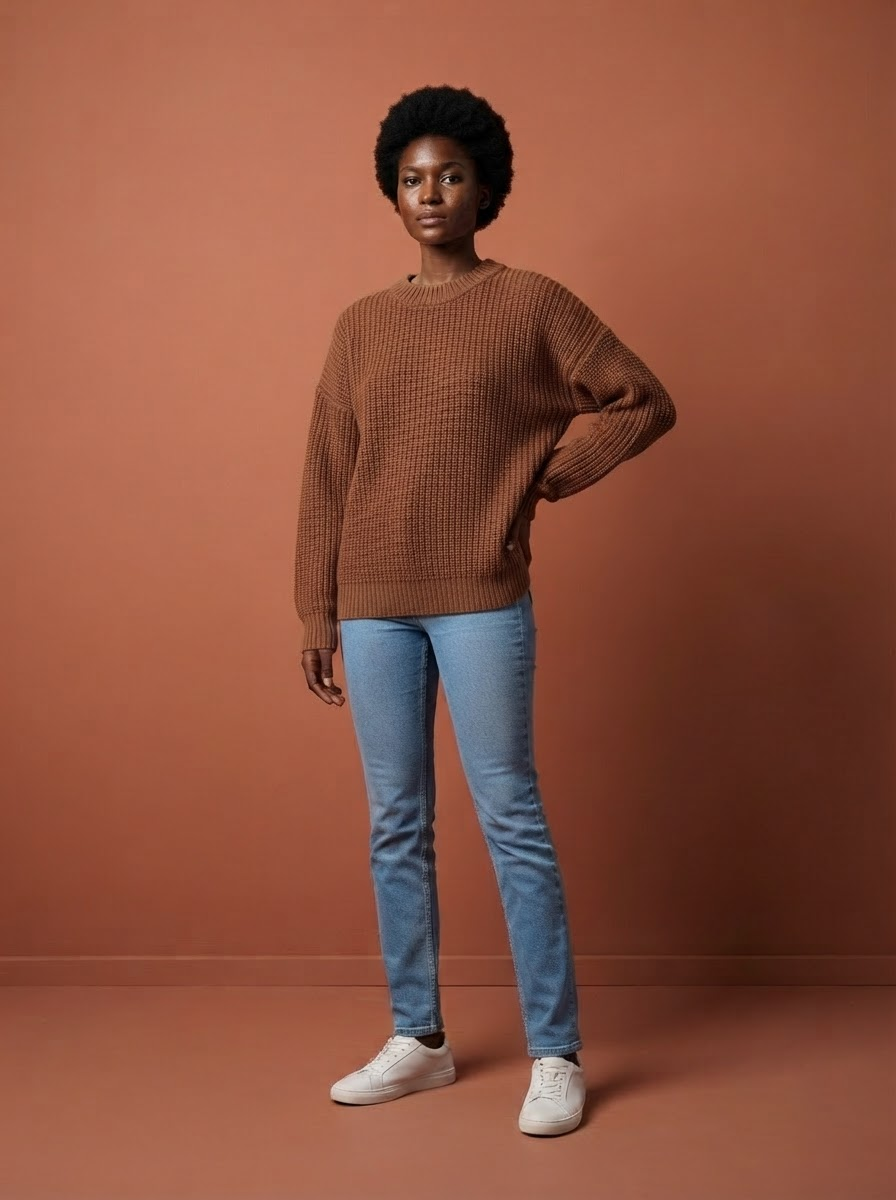
Instead of making the same choices every shoot, you set your faces, your lighting, and your framing once. Everything you upload after that automatically gets the same treatment — item 1 through item 400.
- Fixed models who don't cancel and don't need extra payment
- Fixed lighting and framing, so your collection overview looks calm and consistent
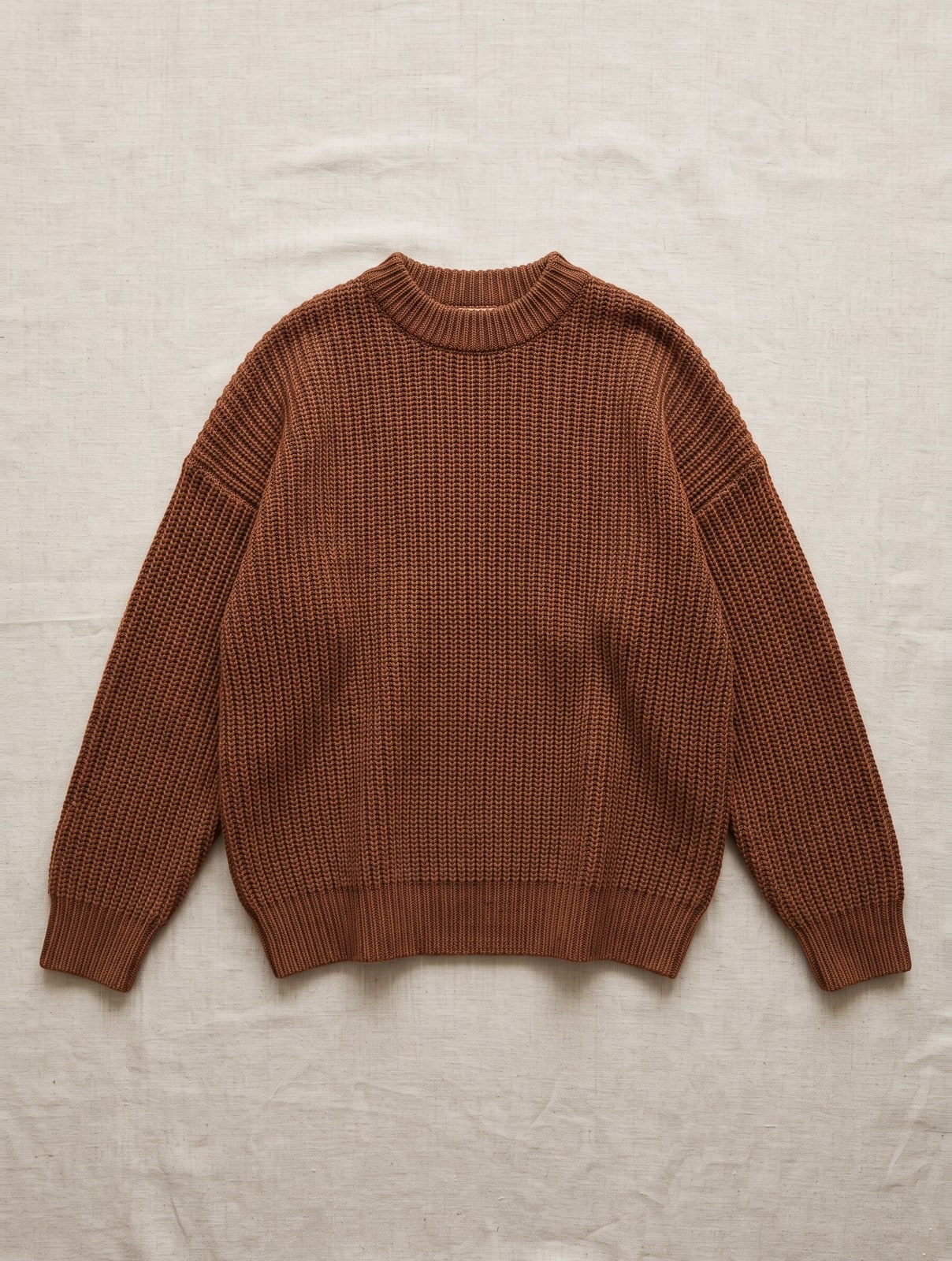
- Pack shots on pure white in the sizes marketplaces require
- Detail shots of fabric and finish, no extra shoot needed
- Product copy, alt text, and size info in four languages
What you get per item
The photo is only half the job. What you actually need is a complete product page, and that's what comes out of that one upload.
- 3 modelfoto’s — op je vaste gezichten, in hetzelfde licht en kader als de rest van je collectie
- 1 pakshot op zuiver wit — in de maten die marktplaatsen eisen
- 2 detailfoto’s — van stof en afwerking — de vragen die anders per e-mail binnenkomen
- Meta titel en meta omschrijving — wat er in het tabblad en in de zoekresultaten staat
- Korte en lange producttekst — de samenvatting boven de vouw en het volledige verhaal eronder
- Materiaal en wasvoorschrift — gescand van het waslabel — je hoeft niets over te typen
- Alt-teksten — wettelijk verplicht sinds juni 2026, en bij ons gratis
- Maatinfo — "Model is 1,78 m en draagt maat M" — de regel die retouren scheelt
- Alles in vier talen — Nederlands, Engels, Duits en Frans — de teksten kosten samen 1 credit
Shooting, cutting out, writing copy, retyping the care label, translating, and uploading — that's easily half a day per item. With us, it's one photo and about two minutes. Across a collection of two hundred items, that's the difference between a quarter and a week.
Which shots you need per item
This is the set that works in practice for a fashion webshop. More is fine, less costs you conversions or a rejected listing.
- Pack shot on pure white — For Bol, Amazon, and Zalando. They reject on technical grounds — background, resolution, and ratio — not on taste.
- Front view on a model — The photo that shows up in your collection overview. This is what determines whether someone clicks through, so consistency matters most here.
- A second angle — Three-quarter view or back. For anything with a back detail, a closure, or a print on the back, this isn't a luxury.
- Detail shot — Fabric, seam, or closure up close. This is the shot that prevents questions by email.
- Consistent framing — Pick one aspect ratio and stick to it. A collection overview with mixed ratios looks messy, even if every photo looks great on its own.
Why consistency wins
Two-thirds of shoppers say image quality matters more to them than the product description, and brands that keep their presentation tight see up to a quarter more revenue in industry studies. The point isn't that your photos need to beat the competition's — they need to look like each other. That's exactly what you can't sustain with separate shoots, and what you can with a locked-in style. Just starting out? Read how to shoot photos for your webshop first.
In three steps
- Lock in your style. Choose your faces, lighting, and framing once. Six minutes.
- Drag in each new item. No more decisions. Two clicks and the set is ready.
- Publish. Download, create an import file, or push straight to your webshop.
Photoshoot vs. locked-in style
| Cost per item | €60 – €100 | 5 credits — with copy in four languages |
| Same model across the collection | only with repeat bookings | automatic |
| Adding new items | schedule a new shoot | same day |
| Usage rights | expiring, per contract | perpetual, worldwide |
| Copy in four languages | outsource separately | 1 credit per item |
Frequently asked questions
Which shots do I need per item?
A pack shot on pure white for marketplaces, at least one shot on a model for your own shop, and a detail shot of fabric or finish. More is fine, less costs you conversions.
How do I keep the same look across hundreds of items?
By not making the choices per shoot. Lock in your model, lighting, and framing once, and let every new item use that same setup — then consistency isn't a discipline, it's a structure.
What exactly do marketplaces require?
It varies by platform, but it comes down to a pure white background, sufficient resolution, and a fixed aspect ratio. Our pack shot is built for that.
Can I reuse my existing photos?
Yes. An existing product photo is a fine starting point — flat lay, on a mannequin, or already on a model.
How many photos per product are enough?
Three to five works best in practice: a pack shot, one or two shots on a model, and a detail shot. Under three and buyers miss information; over eight and almost no one keeps scrolling.
Do I have to redo everything if I change my style?
No. Your old images stay put and keep working. From the moment you update your brand profile, everything you upload after that gets the new style — you can update older items whenever it suits you.
Read more
- Maternity Clothing Photography
- Modest fashion photography
- Product photography for WooCommerce
- Plus size photography
- Moet je AI-foto’s melden? De AI Act uitgelegd
- Model photos
- FashionPix — Product photos, video and copy for your fashion webshop
Try it with your own item
Your first model photo is free, no account and no credit card. You keep it, even if you take nothing else.