Where it goes wrong in practice
Nobody can tell how big it is
A 42cm necklace and a 60cm necklace look identical on a white background. Shoppers guess — and they guess wrong often enough.
Small product, lots of shots
Jewelry needs detail, an overview, and a worn shot. Three shots per item, times a hundred items, is a week's work.
Shine and reflections work against you
Silver and gemstones pick up everything in the room. Without a light tent, your own window shows up in the image.
From product shot to worn image
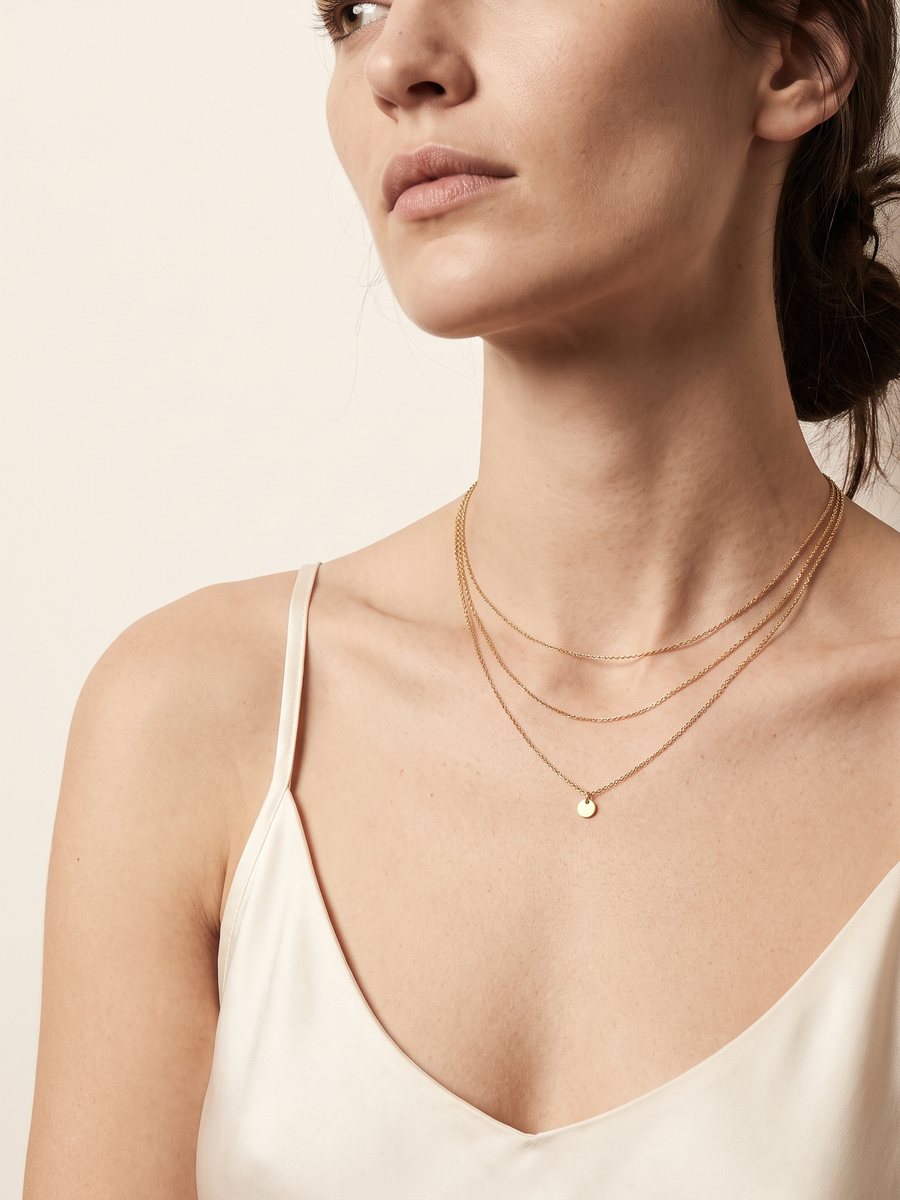
You supply the jewelry photo the way you'd shoot it anyway. We turn it into a worn image — same hand, same skin tone, same lighting for every item after that.
- The jewelry itself stays unchanged: shape, colour and detail come straight from your photo
- A worn image that makes the scale instantly clear
- Product shot on pure white for Bol, Amazon and Zalando
- The same look across your entire collection, even months later
- Product copy, alt text and sizing info in four languages
How to photograph jewelry yourself
Your source photo doesn't need to be perfect, but with small products, sharpness matters double. Five things that make the biggest difference — all without a light tent.
- Put something soft underneath — A piece of felt or a folded cloth. On glass or shiny plastic, your own room shows up reflected in the metal.
- Indirect light — Near a window, but not in direct sun. Direct light creates harsh glints that flatten the shape of the piece.
- Get closer than you think you need to — Fill the frame with the jewelry. A necklace that takes up a tenth of the photo won't be sharp enough after cropping.
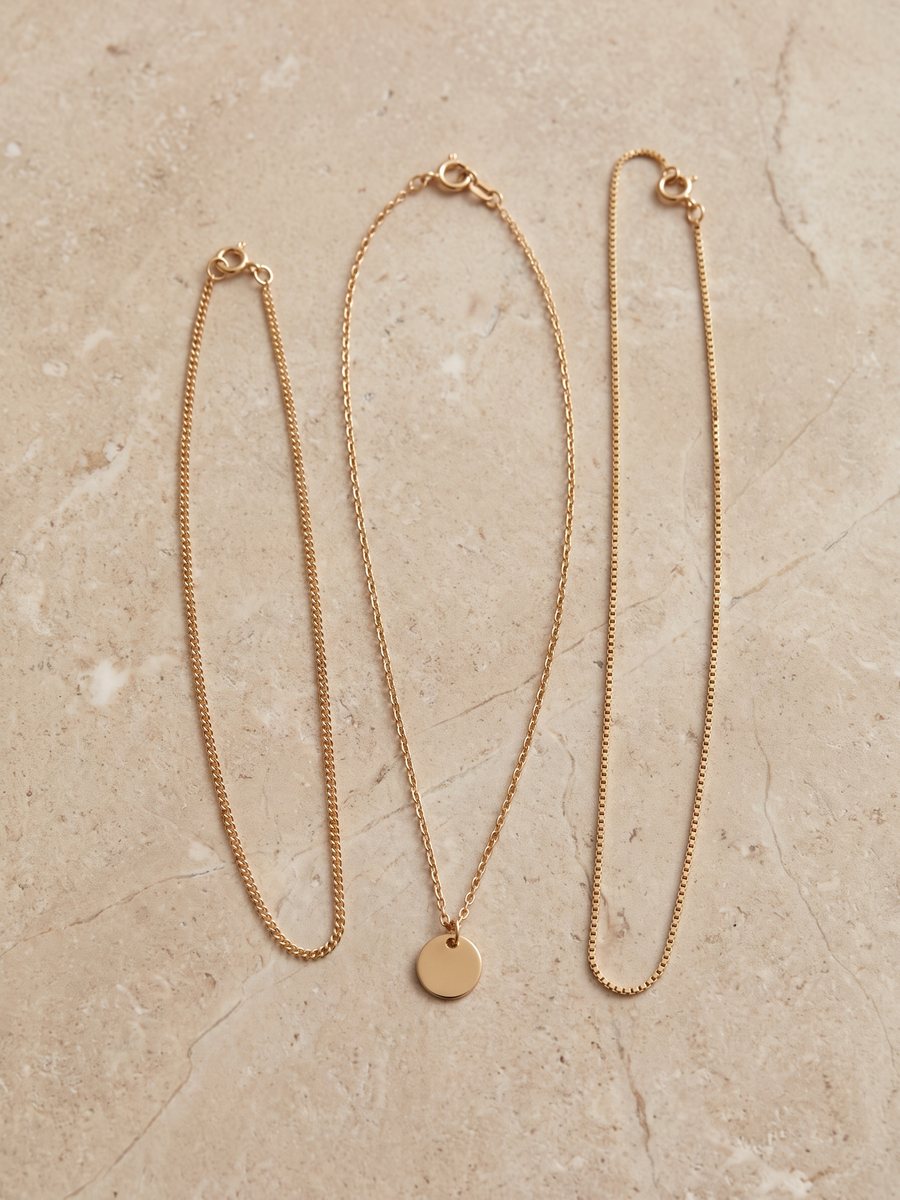
- Lay the necklace out, don't pile it up — A gently curving line or an open circle reads better than a tangled heap. For a bracelet: lay it open, not folded shut.
- Take two shots: straight from above and slightly angled — The top-down shot shows the shape, the angled one shows thickness and texture. We'll use whichever is sharpest.
Why scale matters so much
Returns in fashion sit around a quarter of all orders, and most of that comes down to expectations not matching reality — with jewelry, it's almost always the size. Every image that removes that doubt before the order is placed pays off twice: you make the sale, and it doesn't come back. The same thing happens with clothing, just under a different name: fit. See photographing women's jeans.
In three steps
- Photograph the jewelry. On a plain background, sharp, the whole piece in frame. A phone camera is enough.
- We create the worn image. Plus the product shot on white and the copy to go with it.
- Add it to your shop. Download it, import it, or push it through directly.
DIY photography vs. FashionPix
| Light tent and macro lens needed | yes | no |
| Worn image | hire a model | included |
| Time per item | 20 – 40 minutes | two minutes |
| Consistent look across the collection | hard to maintain | automatic |
| Cost per item | your own hours | 8 credits — with copy in four languages |
Frequently asked questions
Does the jewelry stay exactly the same?
Yes. Shape, colour, gemstones and engravings come from your photo and aren't redrawn. Only the setting and the wearing are added.
Does this work for rings, earrings and watches?
Yes, for anything that's worn. The sharper and more complete your source photo, the better the worn image turns out.
Can I keep the same model across my whole collection?
That's exactly the idea. Set up your brand profile once, and every item after that uses the same person and the same lighting.
Can I use the images commercially?
Yes, fully and worldwide, with no expiring license. The models are generated people, so there's no model release needed either.
What if my piece of jewelry is really small, like a ring?
Then sharpness matters more than size. Get as close as possible to the piece and make sure the shape is sharp; a small but sharp source image gives a better result than a large blurry photo.
Do I need a worn image for every piece of jewelry?
Not necessarily, but you do for anything where size raises a question — necklaces, bracelets and rings. For earrings and brooches, a good product shot with sizing info in the copy is often enough.
Read more
- Clothing photography for your webshop
- Maternity Clothing Photography
- Modest fashion photography
- Product photography for WooCommerce
- Moet je AI-foto’s melden? De AI Act uitgelegd
- Packshot
- FashionPix — Product photos, video and copy for your fashion webshop
Try it with your own item
Your first model photo is free, no account and no credit card. You keep it, even if you take nothing else.