Where it goes wrong in practice
Photos and copy are two separate jobs
The photographer delivers images, the copywriter delivers text, and you paste them together in WooCommerce. With four hundred items, that's the real work — not the making of it.
Generic supplier descriptions don't rank
When ten webshops copy the same manufacturer description, Google picks one. Usually not the smallest one.
Manual entry doesn't scale with your catalogue
Clicking through per item works up to about fifty products. After that, you need a file.
From upload to import file
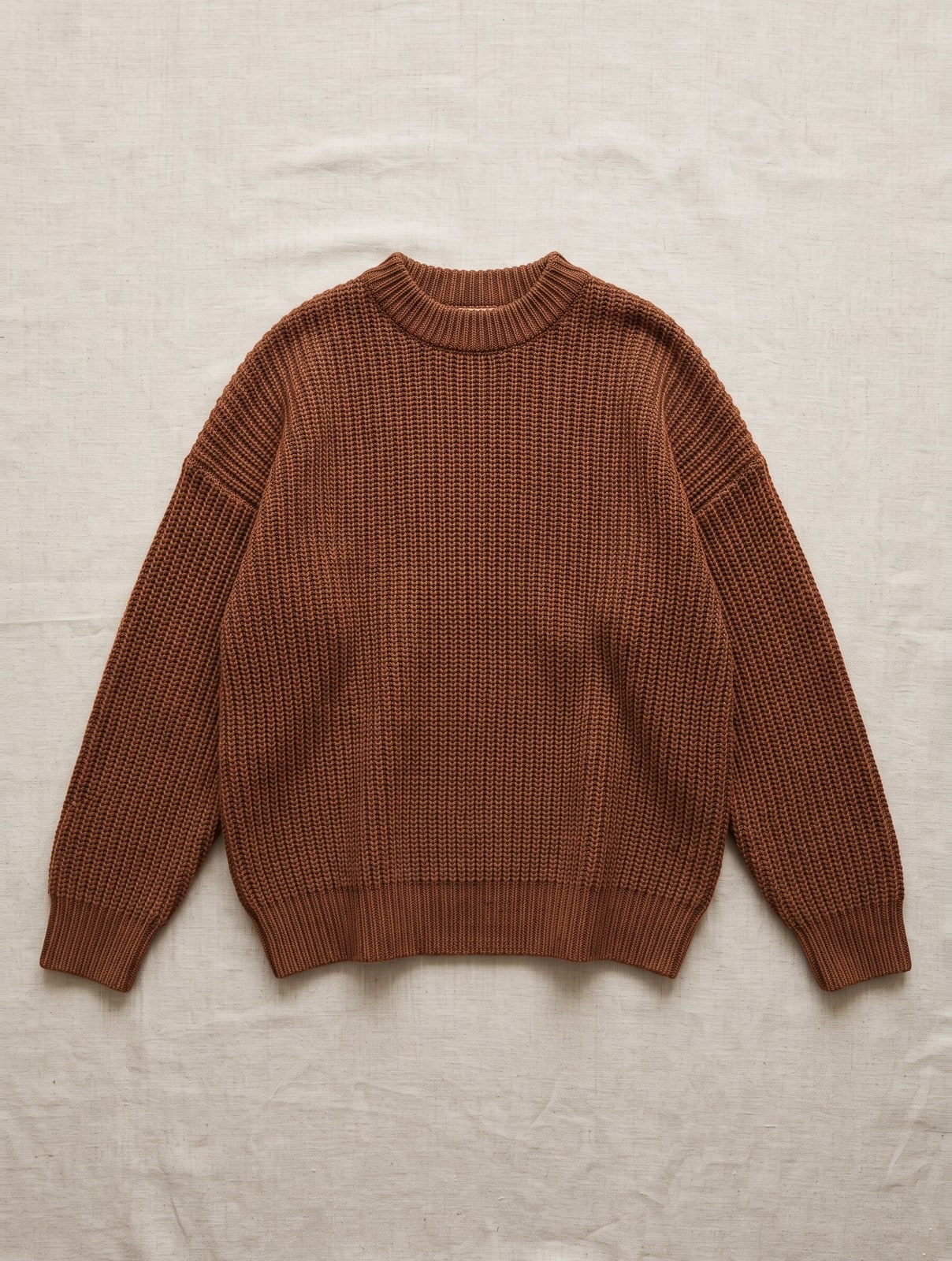
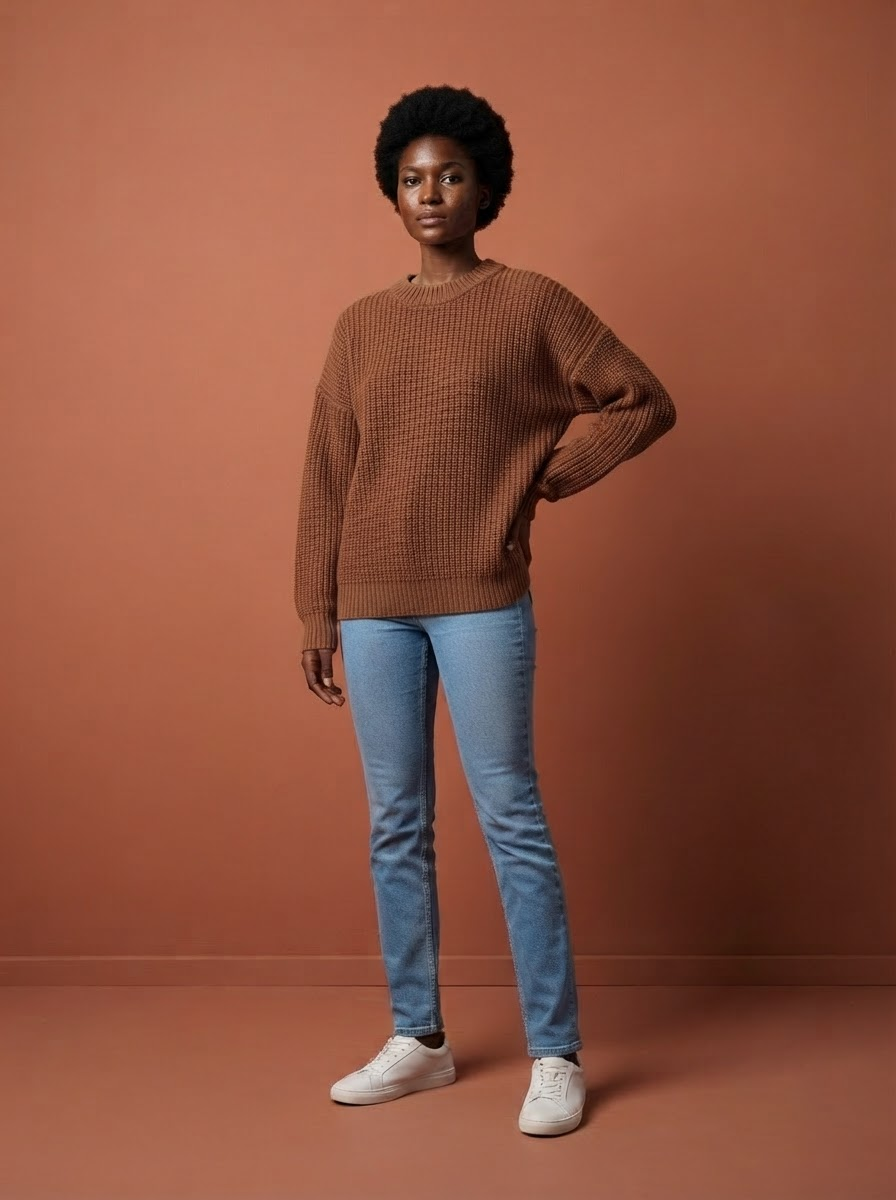
You upload the product photo. We create the images and write the copy, then deliver the whole package as a CSV mapped to the columns the WooCommerce importer expects — or straight through the integration.
- Model images, pack shot on white and detail photos from the same upload
- Short and long product copy, meta title and meta description
- Alt texts and size info, both legally relevant and both included
- CSV with the columns of the built-in importer; products come in as drafts
- Meta fields for both Yoast and RankMath, plus a universal file with all four languages
What lands in WooCommerce per item
An AI photo tool gives you a picture. WooCommerce asks for more: a title, a short and a long description, meta fields, alt texts and product attributes. All of that comes from the same upload here.
- 3 modelfoto’s — op je vaste gezichten, in hetzelfde licht en kader als de rest van je collectie
- 1 pakshot op zuiver wit — in de maten die marktplaatsen eisen
- 2 detailfoto’s — van stof en afwerking — de vragen die anders per e-mail binnenkomen
- Meta titel en meta omschrijving — wat er in het tabblad en in de zoekresultaten staat
- Korte en lange producttekst — de samenvatting boven de vouw en het volledige verhaal eronder
- Materiaal en wasvoorschrift — gescand van het waslabel — je hoeft niets over te typen
- Alt-teksten — wettelijk verplicht sinds juni 2026, en bij ons gratis
- Maatinfo — "Model is 1,78 m en draagt maat M" — de regel die retouren scheelt
- Alles in vier talen — Nederlands, Engels, Duits en Frans — de teksten kosten samen 1 credit
If you fill in a product page entirely yourself, count on half a day: shooting, cutting out, writing copy, retyping material and care instructions from the label, translating, and only then entering it. Here it's one photo and about two minutes, and importing happens through one file instead of per product.
How to import it into WooCommerce
The path from an export file to a filled-in product is shorter than it looks. Five steps, and the first one matters most.
- Test with one product first — Import a single row before you do four hundred. A wrongly mapped column takes thirty seconds to spot with one product, and an hour to clean up with four hundred.
- Products → Import — WooCommerce's built-in importer reads a CSV. No extra plugin needed.
- Check the column mapping — WooCommerce recognises the standard columns automatically. You'll usually need to map the meta columns for your SEO plugin manually once; after that it remembers.
- Let it fetch the photos — The addresses are in the file; WooCommerce downloads them itself during import. With large batches, this step takes the longest.
- Products come in as drafts — That's how the file is set up. You set price and stock and publish yourself afterwards — an import that goes live instantly is exactly what you don't want.
Of installeer de plugin en sla het bestand over
Wil je helemaal geen CSV heen en weer schuiven, dan hoeft dat niet. Onze plugin staat in de officiële WordPress-pluginwinkel, dus je installeert hem zoals elke andere: in je beheerscherm naar Plugins, Nieuwe plugin, zoeken op FashionPix.
Daarna kies je op het productscherm welke foto’s en teksten je overneemt, en staan ze in je product. Updates krijg je vanzelf, net als bij je andere plugins.
Bekijk de plugin in de WordPress-winkel
Gratis, en je kunt hem zonder account bekijken. Liever zelf uploaden? Het zip-bestand staat bij je koppelingen.
Why photos and copy belong together
Two-thirds of online shoppers say image quality matters more than the product description — but Google does read that description, and unique copy is the difference between being found and not. Buying them separately means you also have to merge them separately, and that merging is exactly the work that keeps piling up. What comes out per item is covered in creating photos for your webshop.
In three steps
- Upload your product photo. Flat, on a mannequin or from your phone.
- We create the set and the copy. About two minutes per item.
- Import into WooCommerce. Read in the CSV via Products → Import, or use the integration.
Buying separately vs. FashionPix
| Photo per item | €60 – €100 | 5 credits — with copy in four languages |
| Copy per item | outsourced separately | 1 credit per item |
| In four languages | pay four times | same credit, all four |
| Adding to WooCommerce | manually per product | CSV or integration |
| Alt texts | rarely included | standard |
Frequently asked questions
Do products go live in my store immediately?
No, they come in as drafts. You set price, stock and publication timing. An import that goes live instantly is exactly what you don't want.
Does the export file work with the built-in importer?
Yes. The file uses the column names WooCommerce itself expects, and the photos are listed as addresses — WooCommerce fetches them itself during import.
Do the meta texts carry over to my SEO plugin?
The meta title and description are included in both the Yoast and the RankMath column. Whichever plugin you run, it picks out its own field; the unused column does no harm.
What if I sell in multiple languages?
There's a universal file with all four languages side by side, with a language column. It also imports fine if you work with WPML or Polylang.
Do I need a plugin to import?
No. The product importer is built into WooCommerce by default, under Products → Import. There's also a direct integration if you'd rather not shuffle files back and forth at all.
What if I don't use an SEO plugin?
Then the importer simply ignores those columns and you're left with the regular product title and description. If you install Yoast or RankMath later, you can re-import the same file to fill in the meta fields.
Read more
- Plus size photography
- The AI photoshoot
- Product photos for Zalando
- Work clothing photography
- Moet je AI-foto’s melden? De AI Act uitgelegd
- The assembly line
- FashionPix — Product photos, video and copy for your fashion webshop
Try it with your own item
Your first model photo is free, no account and no credit card. You keep it, even if you take nothing else.